The Art of Memory Forensics Chapter-12
Explores Windows service forensics using Volatility, covering the SCM, service persistence, registry artifacts, service hijacking, and hidden service detection.
ON THIS PAGE / 7 SECTIONS
Windows Services
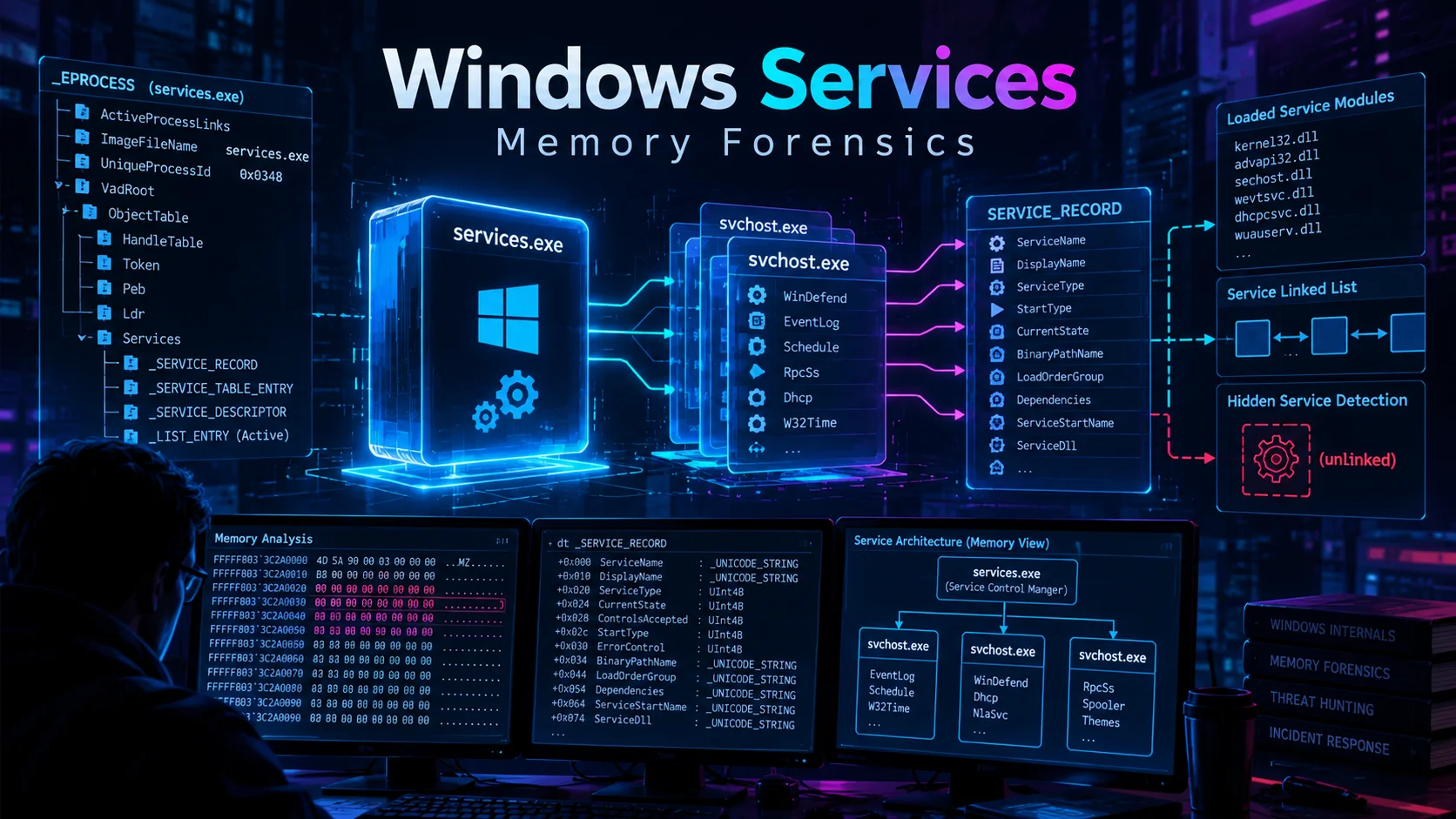
Windows Services are background components that can be implemented as standalone executables .exe, .dll based services hosted by processes such as svchost.exe, or kernel drivers .sys. They can be configured to start automatically without direct user interaction.
Malware can abuse Windows Services to achieve persistence, allowing malicious code to execute again after a system reboot.
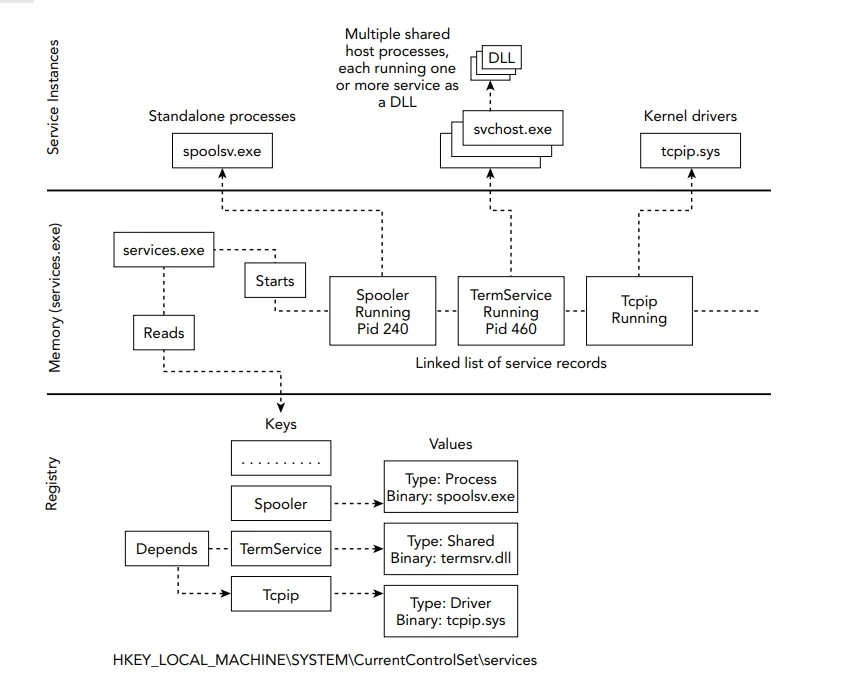
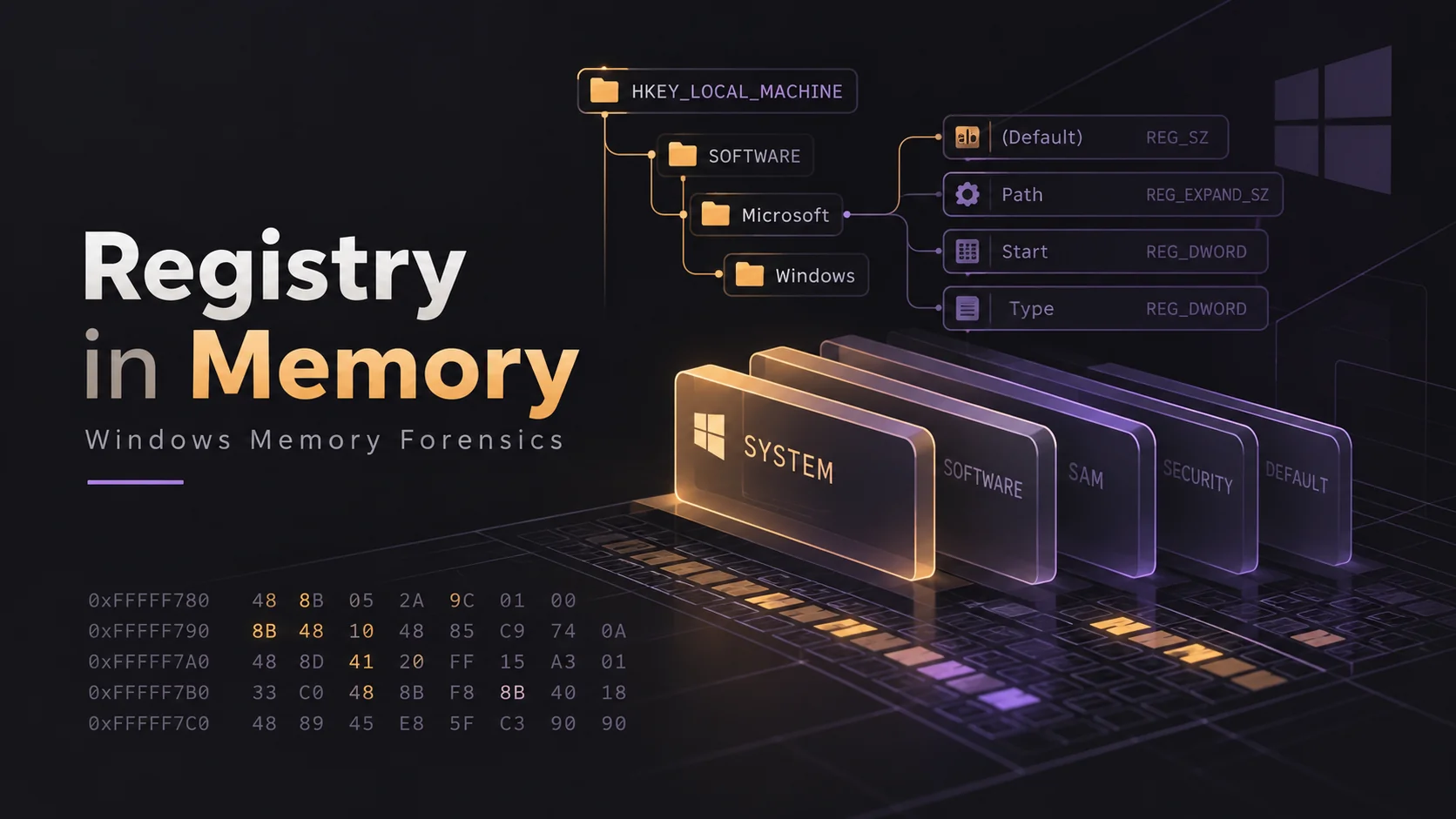
All configured Windows Services are registered under the following Registry key:
HKEY_LOCAL_MACHINE\SYSTEM\CurrentControlSet\ServicesEach service has its own subkey containing configuration settings that define its service type, startup behavior, executable or driver path, and dependencies.The Service Control Manager (SCM), implemented by services.exe, is responsible for managing Windows Services, including starting, stopping, and monitoring their states.
Methods of Installing Windows Services
- Manual Commands: Attackers can use
sc createto register a new service andsc startto launch it. These commands may be recovered from memory using Volatility’scmdscanorconsolesplugins. - Batch Scripts: Malware can automate service installation using
.bator.cmdscripts that executescandregcommands. These scripts may also leave artifacts on disk. - Windows APIs: Malware can directly call
CreateServiceandStartServiceto install and launch services. - WMI: Attackers can use the
Win32_ServiceWMI class and itsCreateandStartServicemethods to create and launch Windows Services without directly executingsc.exe.
Note: Attackers can use lower-level APIs and alternative techniques to install or start Windows Services while avoiding some traditional service-creation artifacts, such as SCM records and certain event logs. They may also stop security-related services using different methods to reduce the chances of detection.
Therefore, during memory forensics investigations, analysts should examine not only running services but also stopped services, especially those that normally run by default or are associated with security solutions.
svcscan Plugin
The svcscan plugin is used to detect and enumerate Windows Services by scanning the memory of services.exe for signatures such as sErv and serH.
Unlike Kernel Pool Scanning, these signatures are embedded within the service record structures _SERVICE_RECORD in user-mode process memory, rather than stored in kernel pool allocation headers.This allows svcscan to recover service records even if they have been unlinked from the service linked list.
$ python vol.py –f memory.dmp --profile=Win7SP0x64 svcscan --verbose
Volatility Foundation Volatility Framework 2.4
Offset: 0x992c30
Order: 34
Process ID: 892
Service Name: BITS
Display Name: Background Intelligent Transfer Service
Service Type: SERVICE_WIN32_SHARE_PROCESS
Service State: SERVICE_RUNNING
Binary Path: C:\Windows\system32\svchost.exe -k netsvcs
ServiceDll: %SystemRoot%\System32\qmgr.dll
Offset: 0x993950
Order: 48
Process ID: 892
Service Name: CertPropSvc
Display Name: Certificate Propagation
Service Type: SERVICE_WIN32_SHARE_PROCESS
Service State: SERVICE_RUNNING
Binary Path: C:\Windows\system32\svchost.exe -k netsvcs
ServiceDll: %SystemRoot%\System32\certprop.dll
Offset: 0x9ac930
Order: 367
Process ID: 1240
Service Name: WSearch
Display Name: Windows Search
Service Type: SERVICE_WIN32_OWN_PROCESS
Service State: SERVICE_RUNNING
Binary Path: C:\Windows\system32\SearchIndexer.exe /Embedding
Service Hijacking
Another technique attackers use for persistence is Service Hijacking, which allows them to abuse an existing legitimate Windows Service instead of creating a new service.
Attackers may target unused, disabled, or even running services and modify them to execute malicious code.
There are two main types:
- Registry-based Hijacking: The attacker modifies the
ImagePathorServiceDllregistry value to point to a malicious executable or DLL.
$ python vol.py –f memory.dmp --profile=Win7SP0x64 svcscan --verbose
Volatility Foundation Volatility Framework 2.4
[snip]
Offset: 0x992c30
Order: 34
Process ID: 892
Service Name: ERSvc
Display Name: Error Reporting Service
Service Type: SERVICE_WIN32_SHARE_PROCESS
Service State: SERVICE_RUNNING
Binary Path: C:\Windows\system32\svchost.exe -k netsvcs
ServiceDll: %SystemRoot%\system\ersvc.dll- Disk-based Hijacking: The attacker replaces the legitimate service executable or DLL on disk with a malicious file while keeping the original path unchanged.
To detect these techniques, analysts should compare service configurations and binaries against a known-good baseline or whitelist from a clean system with the same Windows version and configuration.
Hiding Windows Services
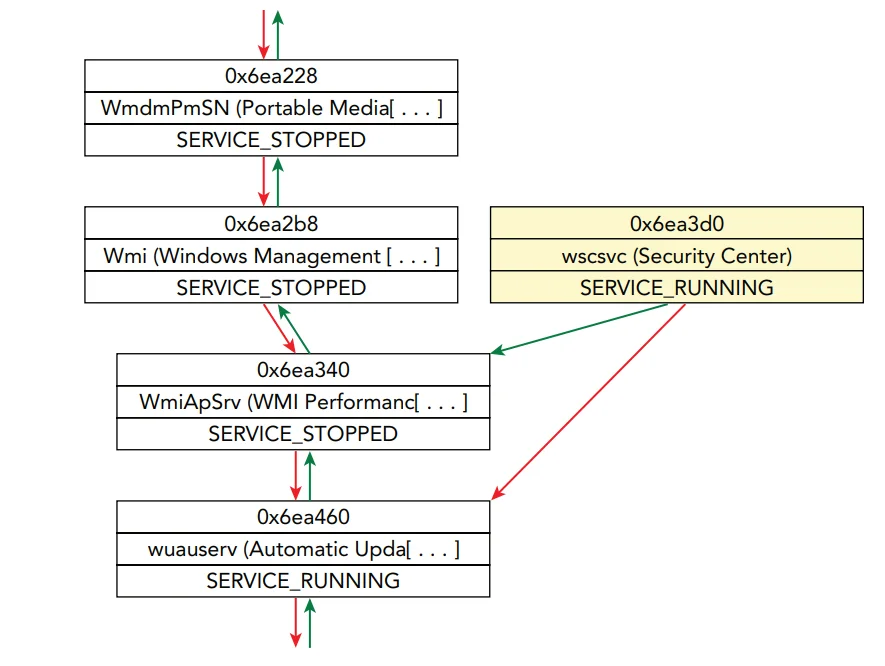
Attackers can hide Windows Services from live system analysis tools by unlinking their _SERVICE_RECORD structures from the doubly linked list maintained by the Service Control Manager (SCM).
As a result, tools that rely on linked-list traversal, such as sc query, may fail to detect these hidden services.
However, unlinking a service does not remove its data from memory or necessarily stop it from running. Therefore, memory forensic tools such as Volatility’s svcscan can still detect hidden services through signature-based memory scanning, as long as their structures and signatures remain intact.
Note: Even when a service is stopped normally, its _SERVICE_RECORD can remain in the linked list. Stopping a service is different from unlinking it.
At The End of This Chapter
Windows Services are commonly abused by attackers for persistence, service hijacking, and stealth. Memory forensics helps investigators detect suspicious or hidden services, even when they are not visible through live system tools.
By correlating memory artifacts with registry data and known-good baselines, investigators can identify malicious service modifications and uncover attempts to evade detection.
If you notice any issues or incorrect concepts, please feel free to contact me. Thank you.
Keep the investigation open.
Have another interpretation, a correction, or a useful trace? Reach out on Discord.
Continue on Discord